Anker PowerConf C200 2K Webcam Review
Step up from 1080p without going full 4K. The Anker PowerConf C200 delivers crisp 2K video, a real privacy shutter, and stereo mics for less than most flagship webcams.

Affiliate Disclosure: This page contains affiliate links. If you make a purchase through these links, we may earn a small commission at no additional cost to you. This helps support our site and allows us to continue providing free content. We only recommend products we believe in.
TL;DR
The Anker PowerConf C200 is a 2K (2560 x 1440) webcam designed for hybrid workers. It splits the difference between 1080p budget cams and 4K flagships with a sharper-than-HD image, dual stereo microphones, autofocus, and a built-in privacy shutter.
Why It Matters
2K is the sweet spot for video meetings — noticeably crisper than 1080p, but without the bandwidth and CPU costs of 4K. Most calls cap at 1080p anyway, but recording and streaming benefit immediately. The C200 also fixes the two things people complain about on cheap cameras: bad mics and no privacy shutter.
Key Specs
- 2560 x 1440 (2K QHD) at 30fps
- 1080p at 60fps for smoother motion
- 95-degree diagonal field of view
- Autofocus
- Dual stereo noise-canceling mics
- Built-in physical privacy shutter
- USB-C to USB-A cable (1.5m)
- AI auto-framing toggle
Pros
- 2K image is genuinely sharper than 1080p — visible on the same call
- Stereo mics actually pick up speech better than most laptop mics
- Real physical shutter (not a sticker)
- Plug-and-play across all major operating systems
- Compact body fits well on slim modern monitors
Cons
- 60fps requires dropping to 1080p
- AI auto-framing can feel jumpy in busy backgrounds
- USB-C end means you may need a hub or short adapter
- Companion software is Windows/macOS only (camera works without it)
Who It's For
Remote workers who take video calls daily, content creators starting a YouTube channel, and anyone who has outgrown a 1080p webcam but does not need 4K. Also a strong fit for users on shared laptops who want the privacy shutter.
How to Use It
Clip on top of your monitor, mount level with the bezel. In your video app, set output to 1440p or 2K — most apps default to 1080p, so you have to opt in. Toggle off AI auto-framing if you sit still during meetings; it adds unnecessary motion. Use the privacy shutter even when off — it is the most reliable way to know the camera is not seeing you.
How It Compares
Versus the Logitech Brio 101, the Anker C200 wins on resolution, microphone, and privacy shutter for a similar price. Versus the Logitech Brio 4K, the C200 is roughly half the price and covers most of the same use cases unless you need 4K specifically. For most desks, the C200 is the better value.
Bottom Line
A 2K webcam with stereo mics and a privacy shutter at this price is the easy recommendation for hybrid workers. The C200 is the upgrade most laptop cameras have been waiting for.
Featured Products
Anker PowerConf C200 2K Webcam for PC/Laptop/Mac, Computer Camera 4-Port USB 3.0 Hub
View DealRelated Articles

Rain Design mStand Laptop Stand Review: Is the Classic Still Worth It in 2026?
Is the Rain Design mStand still worth roughly $45 in 2026? Our review breaks down its single-piece aluminum build, fixed-height ergonomics, cable management, and how it compares to adjustable and folding laptop stands.

Logitech Brio 101 Full HD 1080p Webcam Review
The Brio 101 is Logitech's no-fuss meeting camera — 1080p, plug-and-play, auto-light correction, and a price that makes upgrading the laptop cam easy to justify.
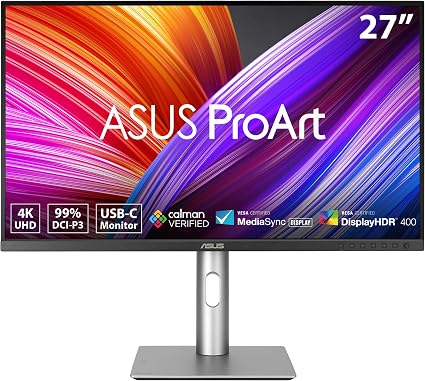
ASUS ProArt PA279CRV 27-inch 4K HDR Monitor Review
A factory-calibrated 4K IPS panel with 99% DCI-P3, USB-C with 96W power, and Calman Verified out of the box. The PA279CRV is a creator's daily driver.